Arena Breakout: Infinite
// SYSTEM DATA ANALYSIS //
> MINIMUM REQ.
CPU: Intel Core i7-9700 or AMD Ryzen 7 3700X
GPU: NVIDIA GeForce RTX 2060 (6GB) or AMD Radeon RX 5600 XT
RAM: 16
> RECOMMENDED
CPU: Intel Core i7-10700KF or AMD Ryzen 7 5800X
GPU: NVIDIA GeForce RTX 2080 or AMD Radeon RX 6800 XT
RAM: 32
// PROFESSIONAL_ANALYSIS //
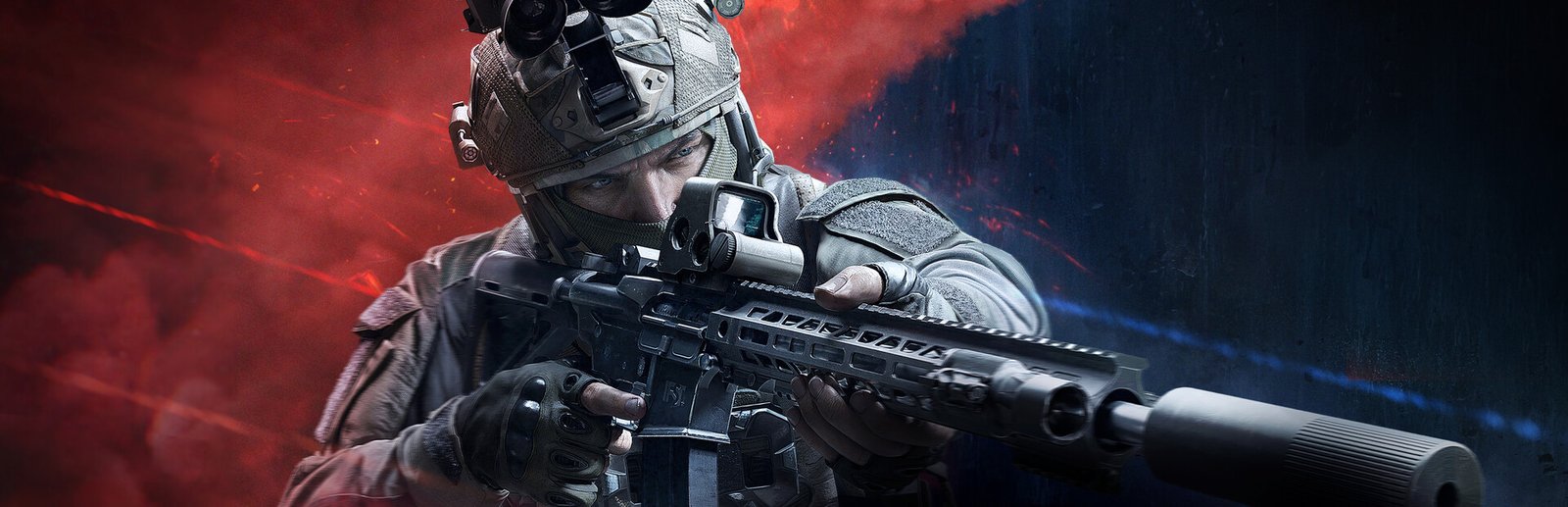
Engage in lethal, high-stakes tactical combat in Arena Breakout: Infinite, developed by Morefun Studios using Unreal Engine 4. Featuring realistic ballistic bullet drop, Picture-in-Picture weapon magnification optics, volumetric tactical smoke, and dynamic lighting, surviving high-risk operations demands high framerates and minimal click-to-photon latency. Benchmark your PC above.
Arena Breakout: Infinite Minimum System Requirements (1080p 30 FPS Low)
Requirements for playable 1080p 45-60 FPS on Low settings with tactical lighting enabled:
- Operating System: Windows 10 (64-bit, latest service pack)
- Processor (CPU): Intel Core i7-9700 or AMD Ryzen 7 3700X
- Graphics Card (GPU): NVIDIA GeForce RTX 2060 (6GB) or AMD Radeon RX 5600 XT
- System Memory (RAM): 16 GB RAM
- DirectX: Version 12
- Storage: 60 GB available space (Solid State Drive strongly recommended to eliminate streaming hitches)
Arena Breakout: Infinite Recommended System Requirements (1080p/1440p 60 FPS High)
Recommended setup for 1080p/1440p 90+ FPS on High settings with crisp weapon sights and full particle density:
- Operating System: Windows 10 or Windows 11 (64-bit)
- Processor (CPU): Intel Core i7-10700KF or AMD Ryzen 7 5800X
- Graphics Card (GPU): NVIDIA GeForce RTX 2080 or AMD Radeon RX 6800 XT
- System Memory (RAM): 32 GB high-speed dual-channel RAM
- DirectX: Version 12
- Storage: 60 GB NVMe M.2 Solid State Drive
Arena Breakout: Infinite 4K Ultra Specs (60+ FPS Enthusiast Tier)
For 4K 120+ FPS esports clarity with maximum foliage draw distance and Picture-in-Picture weapon scopes, an Intel Core i7-14700K or AMD Ryzen 7 7800X3D paired with an RTX 4080 Super or RX 7900 XTX delivers uncompromised tactical advantage.
Best Arena Breakout: Infinite Graphics Settings for Maximum FPS
To achieve significant framerate stability without visibly diminishing the visual fidelity of Arena Breakout: Infinite, adjust these key settings in the graphics options:
- Optic Quality / Picture-in-Picture: Medium (alleviates the double-rendering penalty when aiming down magnified sights).\
- Shadow Quality: High (crucial for identifying suspect flashlights and silhouettes in dark corridors).
- Volumetric Fog & Smoke: Medium (smooths out frame pacing during tactical breaching smoke deployment).
- NVIDIA Reflex / AMD Anti-Lag: Enabled + Boost (essential for split-second weapon draw and reaction times).
- DLSS / FSR: Quality mode with sharpness adjusted to 0.4.
Hardware Bottlenecks: Is Arena Breakout: Infinite CPU or GPU Heavy?
Arena Breakout: Infinite balances tactical AI routines and ballistic physics on the CPU with heavy flashlight shadow cascades and dense foliage on the GPU. Using Picture-in-Picture magnified optics doubles geometry draw passes while aiming down sights. Check our complete guides for other top titles on the PC system requirements catalog.
Frequently Asked Questions (FAQ)
Why does FPS drop when aiming through scopes?
Picture-in-Picture (PiP) optics render the scene twice; lowering optic quality in settings resolves this.
Is an SSD required for raid loading?
Yes, high-speed NVMe storage is essential to prevent asset loading stalls when spawning into large tactical zones.
What settings give the best competitive clarity?
Disabling Motion Blur, Depth of Field, and Chromatic Aberration significantly improves target acquisition.