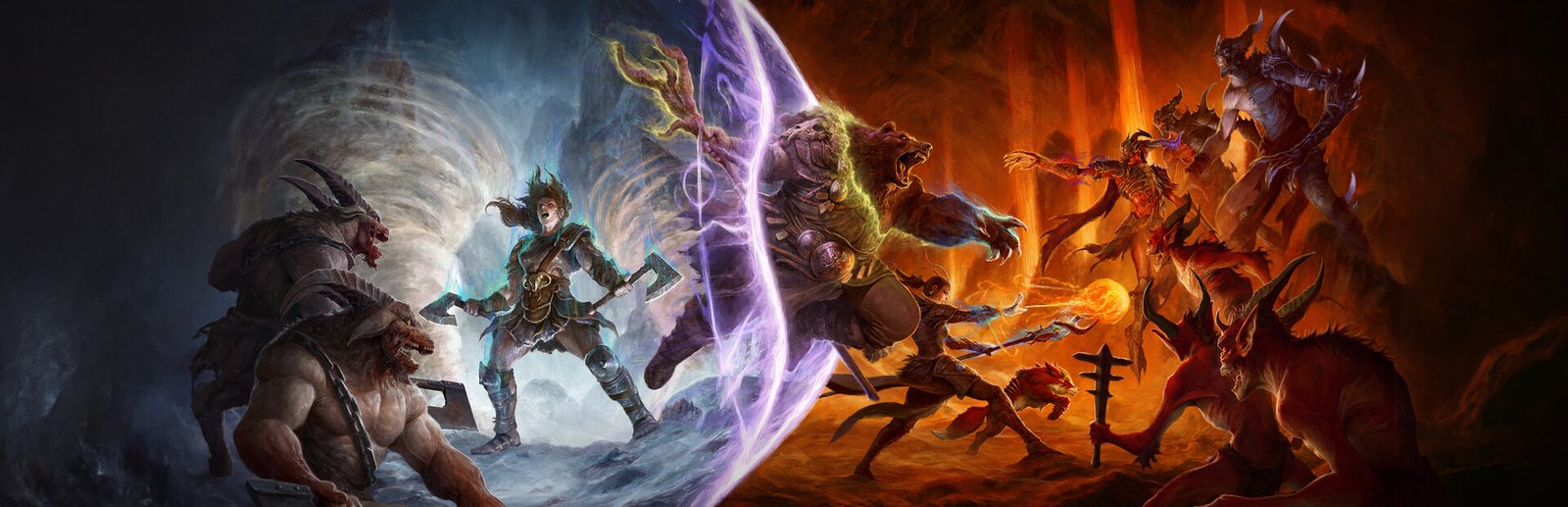
Diablo IV System Requirements & PC Benchmark
// SYSTEM DATA ANALYSIS //
> MINIMUM REQ.
CPU: Intel Core i5-2500K
GPU: NVIDIA GeForce GTX 660
RAM: 8
> RECOMMENDED
CPU: Intel Core i5-4670K
GPU: NVIDIA GeForce GTX 970
RAM: 16
// PROFESSIONAL_ANALYSIS //
Can your PC brave the grim horrors of Sanctuary and vanquish the legions of the Burning Hells? Diablo IV, developed and published by Blizzard Entertainment, returns the legendary action RPG franchise to its dark, gothic roots. Featuring a seamless shared open world, intricate dungeon crawl mechanics, epic multi-player world bosses, and the massive Vessel of Hatred expansion in the jungles of Nahantu, Diablo IV balances deep hack-and-slash combat with high-fidelity visuals. Whether you’re running nightmare dungeons or pushing the Pit of the Artificers, framerate stability is vital. Use our interactive PC system requirements checker above to calculate your expected framerate across low, medium, high, and ultra presets.
Diablo IV Minimum System Requirements (720p/1080p 30 FPS Low)
To run Diablo IV at baseline playable performance (720p rendered resolution upscaled to 1080p at 30 FPS on low presets), Blizzard specifies the following minimum hardware configuration:
- Operating System: Windows 10 (64-bit Version 1909 or newer)
- Processor (CPU): Intel Core i5-2500K or AMD FX-8350
- Graphics Card (GPU): NVIDIA GeForce GTX 660 (2GB) or AMD Radeon R9 280 (3GB)
- System Memory (RAM): 8 GB RAM
- DirectX: Version 12
- Storage: 90 GB available space on a Solid State Drive (SSD is strongly recommended; mechanical HDDs will stutter during town portals)
Diablo IV Recommended System Requirements (1080p 60 FPS Medium)
For consistent 60 FPS gameplay during chaotic screen-filling demon battles at 1080p medium quality presets, the recommended hardware configuration includes:
- Operating System: Windows 10 or Windows 11 (64-bit)
- Processor (CPU): Intel Core i5-4670K or AMD Ryzen 3 1300X
- Graphics Card (GPU): NVIDIA GeForce GTX 970 (4GB) or AMD Radeon RX 470 (4GB)
- System Memory (RAM): 16 GB dual-channel RAM
- Storage: 90 GB available space on a fast SSD
High & 4K Ultra Specs (1440p / 4K 60+ FPS Enthusiast Tier)
If you play on a 1440p or 4K monitor and want Ultra textures, max particle density, and optional Ray Traced Reflections:
- High Spec (1440p 60 FPS High): Intel Core i7-8700K / AMD Ryzen 7 2700X, paired with an NVIDIA GeForce RTX 2060 or AMD Radeon RX 5700 XT, and 16GB RAM.
- Ultra 4K Spec (4K 60+ FPS Ultra): Intel Core i7-8700K / AMD Ryzen 7 2700X (or modern chips like Ryzen 5 7600 / Core i5-13400F), paired with an NVIDIA GeForce RTX 3080, RTX 4070, or AMD Radeon RX 6800 XT (12GB+ VRAM), and 32GB RAM.
Best Diablo IV Graphics Settings for High FPS & Stability
Blizzard’s engine is well optimized, but a few specific settings cause unnecessary VRAM memory spikes and stuttering. Applying these optimized settings can boost your framerate by 30% to 50%:
- Texture Quality: High (Ultra textures consume over 14GB of VRAM and can cause sudden micro-freezes on 8GB graphics cards. High textures look virtually indistinguishable at normal camera angles).
- Upscaling & Frame Generation: NVIDIA DLSS, AMD FSR 2, or Intel XeSS set to “Quality”. Enabling DLSS 3 Frame Generation provides butter-smooth motion on high-refresh monitors.
- Ray Traced Shadows & Reflections: Disabled (enabling Ray Tracing reduces framerates by 40-50% with minimal visual benefit in an isometric ARPG).
- Shadow Quality: Medium (reduces GPU memory overhead significantly).
- Geometric Complexity: High (maintains detailed dungeon rock formations with negligible performance impact).
- Fog Quality: Medium (keeps the creepy atmosphere of Scosglen intact without dropping 1% low FPS).
- NVIDIA Reflex: Enabled (ensures instantaneous evade dash and potion drinking reaction times).
Hardware Bottlenecks: VRAM Management & Open World Stutter
In Diablo IV, the primary hardware bottleneck is GPU VRAM and storage throughput. As you ride your mount between world zones (such as transitioning from Fractured Peaks to Hawezar), the engine streams world chunks without a loading screen. If your GPU has 8GB of VRAM and you have Texture Quality set to Ultra, VRAM will overflow, causing severe 2-second stutter spikes during zone transitions. Setting Textures to High completely eliminates this. If you love dark fantasy ARPGs, also check out our performance guide for Path of Exile 2 system requirements or test survival crafting worlds in Palworld.
Frequently Asked Questions (FAQ)
Is Diablo IV Verified on Steam Deck?
Yes, Diablo IV is officially Steam Deck Verified. It runs smoothly at a locked 40 to 45 FPS on medium settings with FSR 2 set to Quality, providing over two hours of battery life.
Does Diablo IV require an always-online internet connection?
Yes, Diablo IV is a fully online shared-world game. You need a continuous broadband internet connection to log in and play, even when exploring solo.
Can I run Diablo IV on 8GB of RAM?
While 8GB of RAM is the minimum requirement, we strongly recommend closing all web browser tabs and background applications. In high-density Torment difficulty events, system RAM usage can exceed 10GB.
For seasonal battle pass details, class balance patches, and PTR test schedules, visit the official Diablo IV Steam Store page. Enter your PC specs in our simulator above to test your setup against the Prime Evils!